Tiptoe Dance Swap
Replace the trickster character while keeping the straw-room movement, timing, and playful camera energy.
Viral AI meme video maker
Upload one or two character photos and prepare a Rumpelstiltskin AI meme video workflow that swaps people into the strange tiptoe dance while preserving the original motion, room, and camera rhythm.
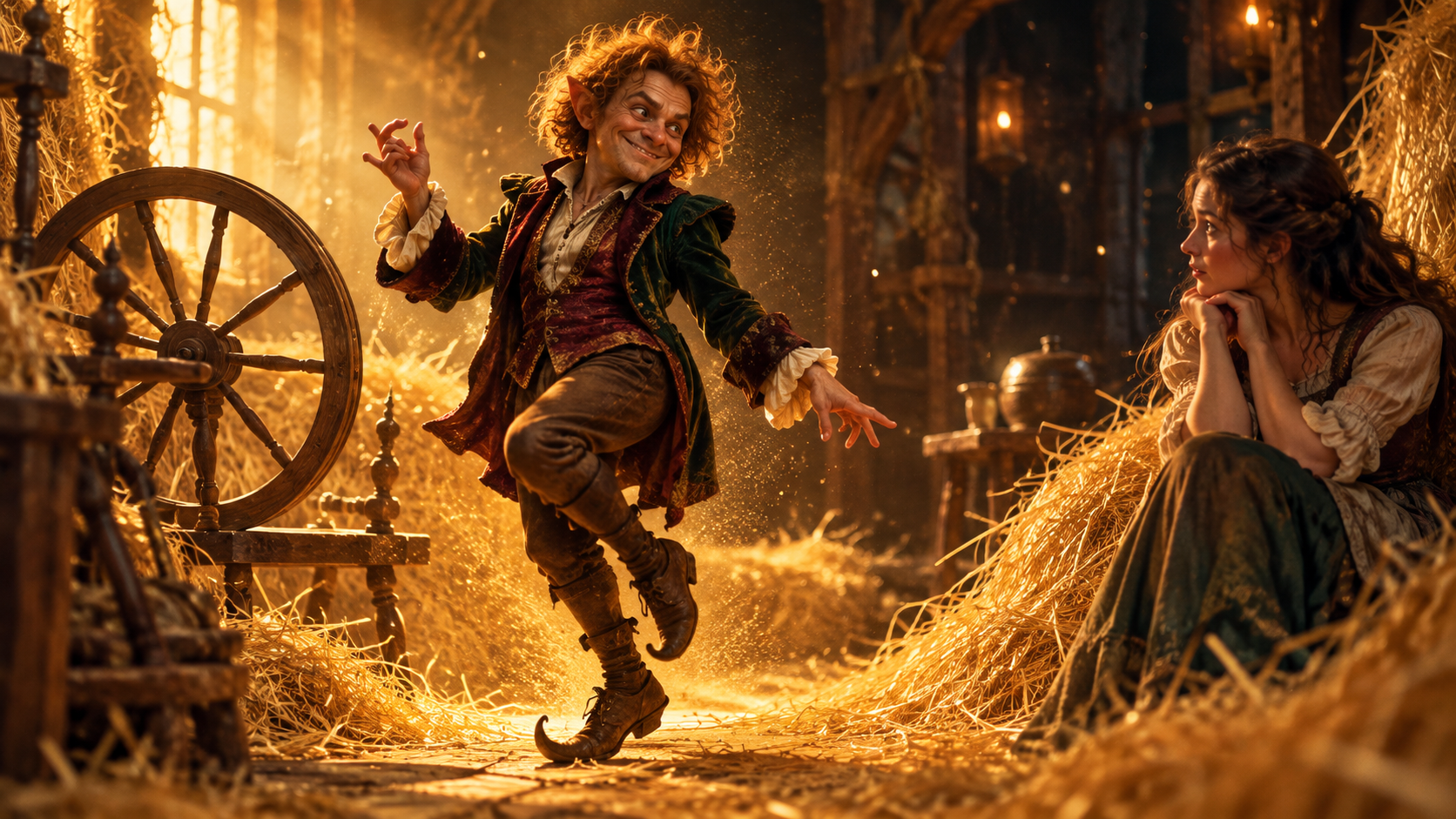 Example template
 AI Generator
Upload either character photo, optionally add the second person, choose 480p or 720p, then generate the meme video.
Examples
The first release focuses on one recognizable meme workflow: preserve the source dance, keep the fantasy room readable, and swap one or two characters from uploaded portraits.
Replace the trickster character while keeping the straw-room movement, timing, and playful camera energy.
Upload a second face to swap the watching character too, useful for duos, friends, and reaction memes.
Designed for video-to-video providers that retain the source action instead of inventing a new scene.
How it works
The product is designed around real search intent: users want the Rumpelstiltskin AI dance with their own face, not a generic text to video prompt that drifts away from the template.
Add a clear portrait for the Rumpelstiltskin character. This is the only required image, so the first attempt stays fast.
Optionally upload another portrait to replace the watcher or partner in the scene, creating a two-person meme video.
Once the video API is connected, the page will preview the finished clip and expose a direct download link for sharing.
Meme context
Rumpelstiltskin AI is a short-form meme trend where a fairy-tale trickster performs an odd tiptoe dance in a straw-filled fantasy room. The practical user intent behind searches like "rumpelstiltskin ai generator" and "how to make rumpelstiltskin ai video" is simple: people want to replace the character with their own photo while keeping the original scene recognizable.
A good generator should use character-reference replacement rather than plain text-to-video. Rumpelstiltskin AI currently uses Higgsfield for the AI video generation workflow, which is selected for motion-transfer style video creation.
FAQ
Rumpelstiltskin AI is a viral AI-video meme format built around a mischievous fairy-tale character dancing or tiptoeing in a straw-filled fantasy room. The appeal is replacing the character with a user photo while keeping the strange movement, background, and camera style.
Upload a clear Rumpelstiltskin Photo, optionally add a Girl Photo, then generate. The workflow sends those references to Higgsfield for AI video generation while preserving the template motion and scene.
Yes. Upload either Rumpelstiltskin Photo or Girl Photo to start. The other photo is optional, so you can create a simple one-person meme faster.
Rumpelstiltskin AI currently uses Higgsfield as the underlying AI video generation model/provider for the motion-transfer meme workflow.
The upload flow connects to a motion-transfer video backend after Google sign-in and checks the user credit balance before creating a task.
Use sharp front-facing portraits with good lighting. Avoid heavy filters, sunglasses, low-resolution screenshots, or faces cropped at the chin or forehead.